Clock, date and favourite apps
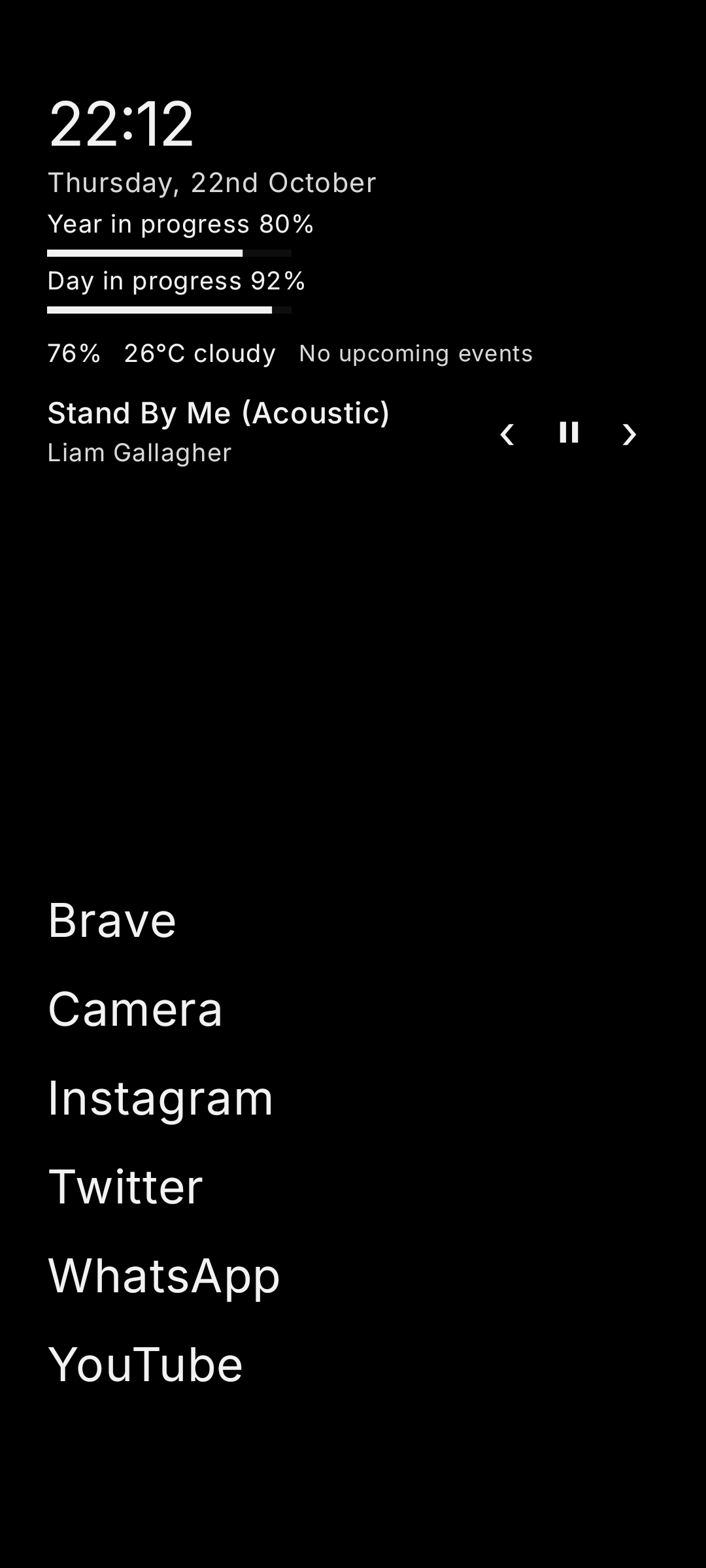
Clock, date, progress indicators and favourite apps, with optional battery, weather, calendar agenda, music controls and notification indicators.
 Dislauncher
Open-source Android launcher
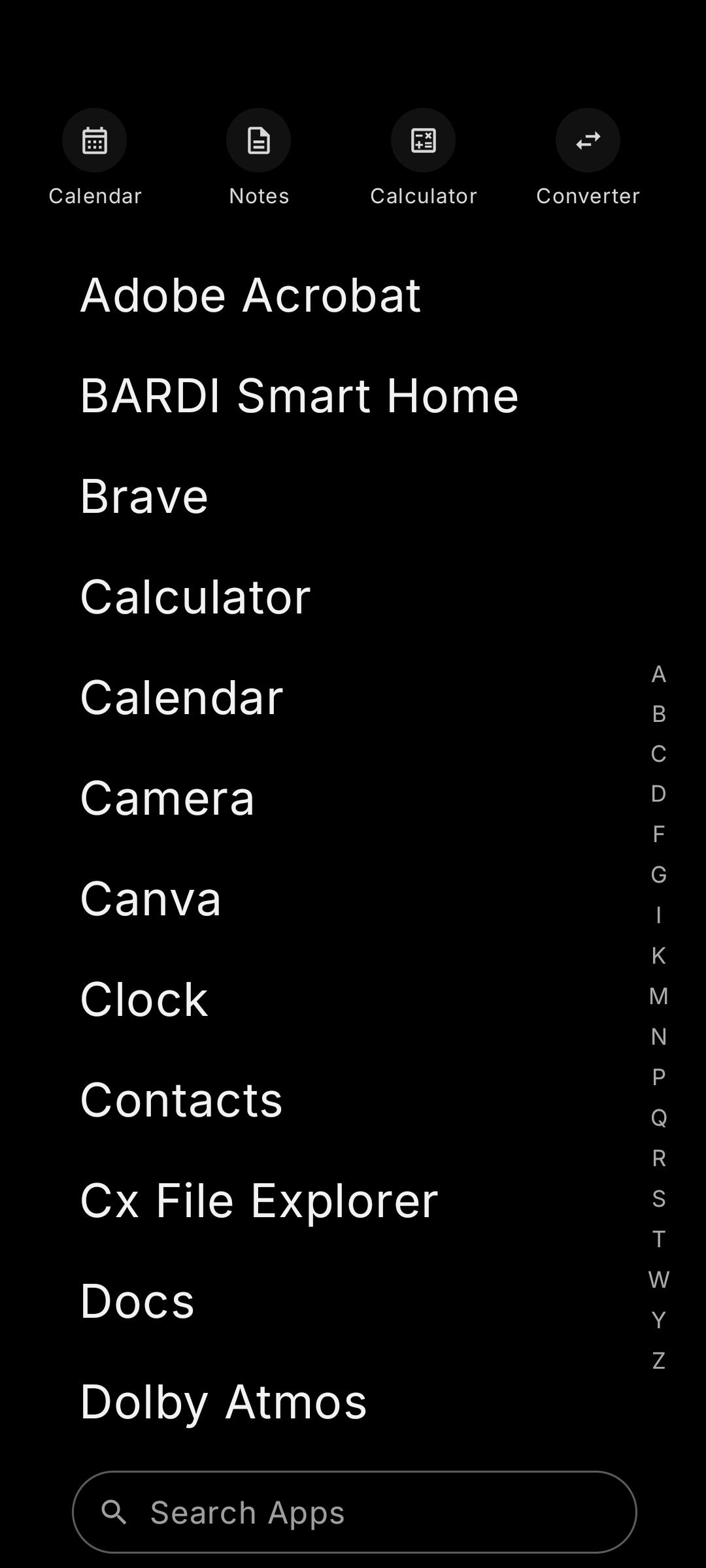
Dislauncher puts your favourite apps on a text-first Home screen, with a searchable app drawer and built-in tools for notes, calendar, calculations and unit conversions.
Home screen
Your favourite apps stay on the Home screen. Search the alphabetical app drawer for other apps, organise favourites into folders, and choose whether to show weather, calendar agenda, music controls or notification indicators.
Explore the open-source project ↗Screenshots
See the Home screen, app drawer and personalisation settings.
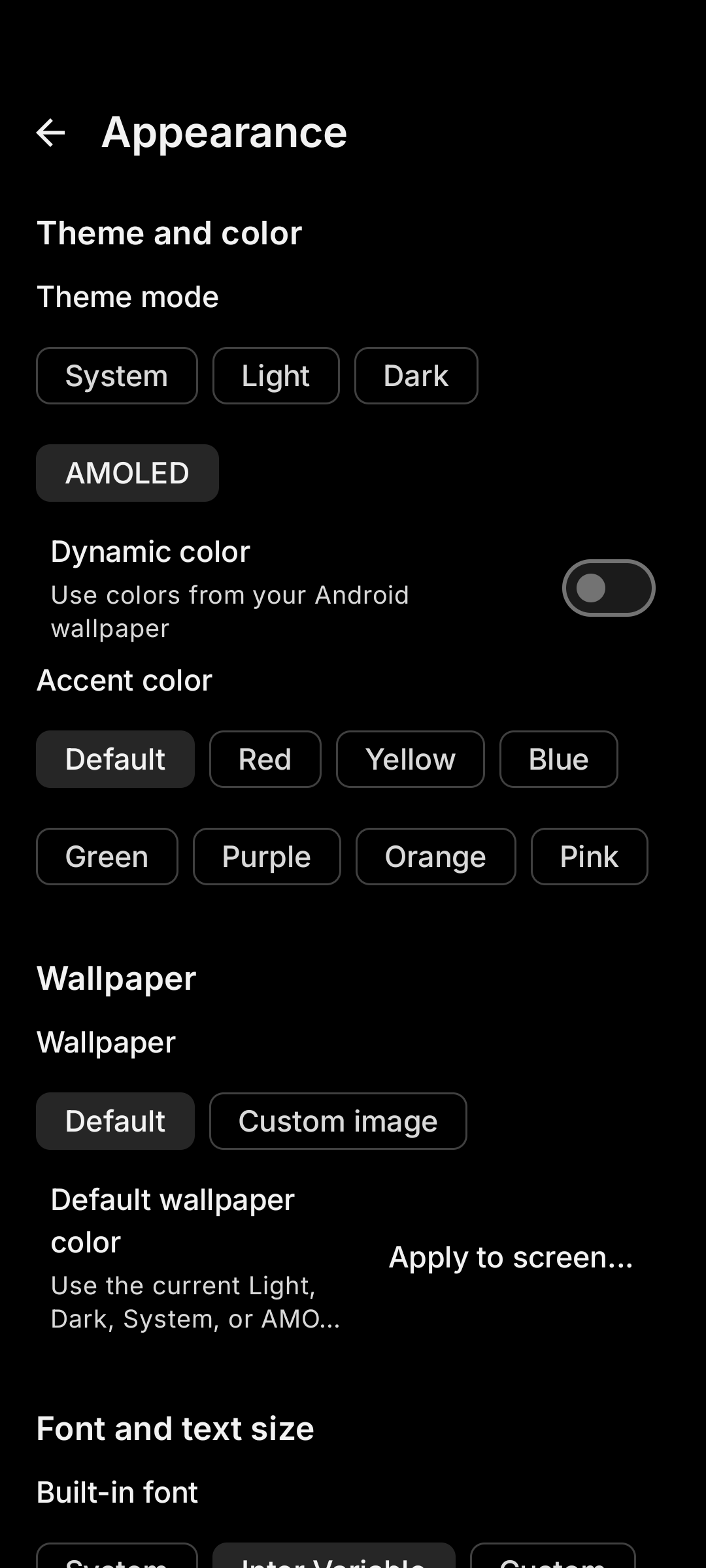
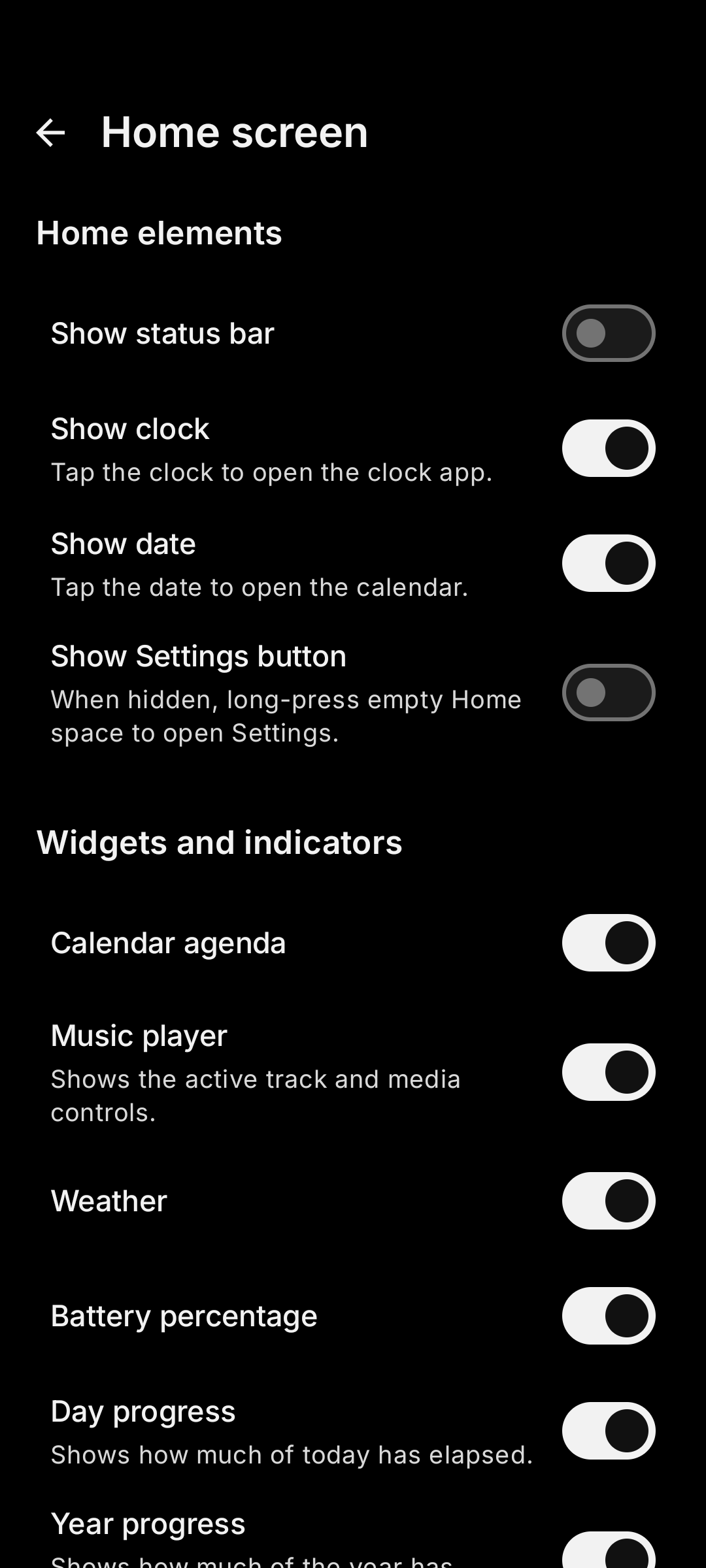
Features
Use a text-first Home screen, organise apps, customise the interface and open everyday tools without switching to separate utility apps.
Clock, date, progress indicators and favourite apps, with optional battery, weather, calendar agenda, music controls and notification indicators.
Searchable alphabetical app drawer, favourites, folders, hidden apps, icon-pack support and shortcuts for common actions.
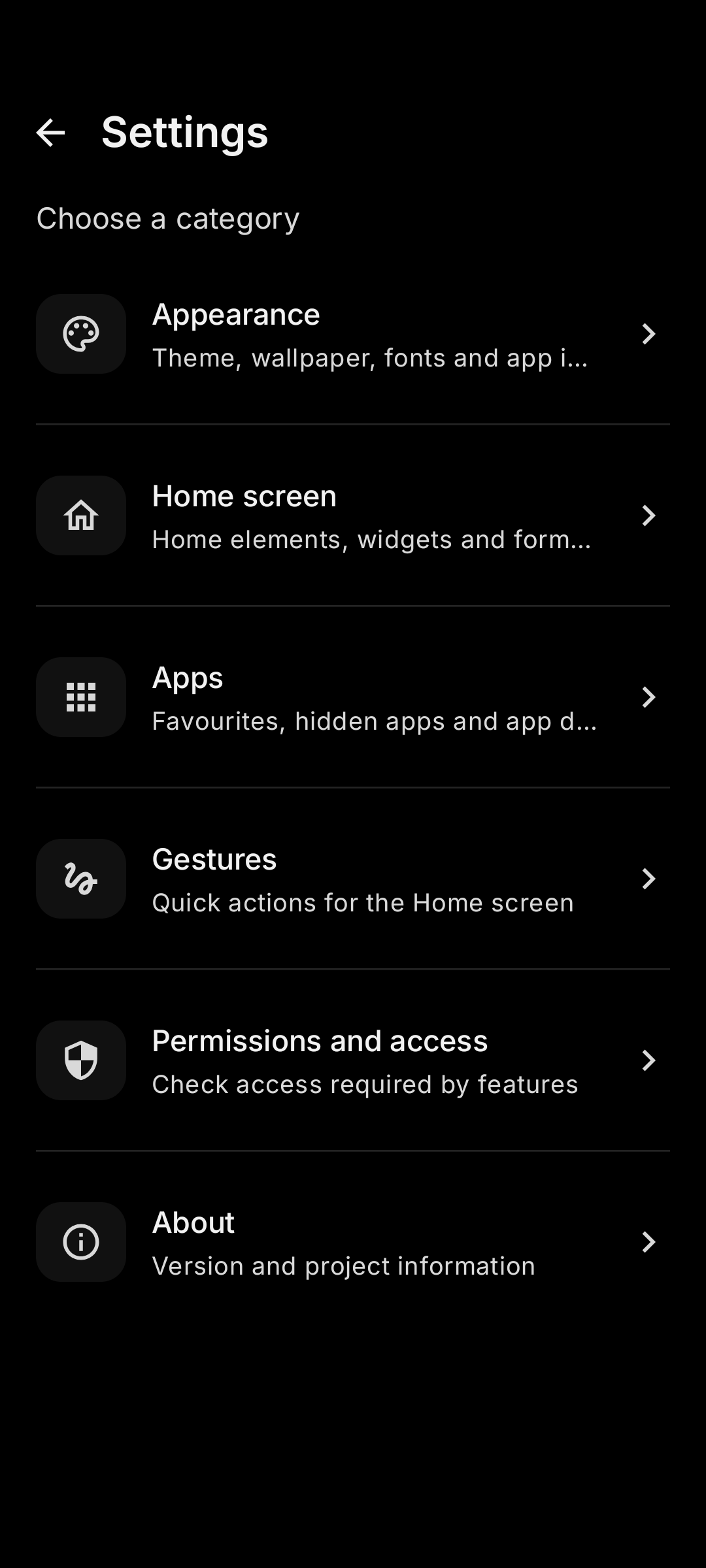
System, light, dark and black themes, accent colours, wallpapers, font choices, text sizing, gestures and layout preferences.
Create notes with text formatting, lists, checklists and images. Search or pin notes, switch between list and grid views, and import or export notes.
Browse the month, choose a date and review its agenda. Local tasks and reminders can sit alongside events from your device calendar when enabled.
Use the built-in calculator, revisit previous calculations, and convert common measurements.
Personalisation
Change themes, accent colours, wallpapers, fonts, text size, gestures and layout. Choose which optional tools appear on the Home screen.
Permissions and source code
Optional integrations can require Android permissions or settings. Review the source code and privacy documentation to see how the project works.
Permissions
Calendar integration may request access to device calendar events. Weather, music controls and notification indicators may need their related access or settings. If a feature is optional, you can leave it disabled.
Transparency
Dislauncher is open source. Review the privacy information and APK safety notes before installing.
Download
Get the latest APK from GitHub Releases. Dislauncher supports Android 8.0 and later; the release page lists available downloads and the published checksum.
Install only releases you trust. Android may ask you to allow installation from the browser or file manager you use to open the APK.
Install steps
FAQ
Dislauncher supports Android 8.0 (Oreo) and later.
Download the APK from the latest GitHub release, open it and follow Android's installation prompts. Depending on your device settings, Android may ask you to allow installs from the app used to open the APK. Review the linked APK safety notes if Android displays a warning.
Permissions depend on the features you enable. Calendar events, weather, music controls and notification indicators may need related Android permissions or special access. Review each prompt and enable only the features you want to use.
Yes. Dislauncher offers theme and accent options, wallpaper, font and text-size choices, gestures, layout preferences and optional Home screen tools.
Yes. Dislauncher includes Notes, Calendar, Calculator and Unit Converter. Calendar can show local tasks and reminders, and device calendar events when you enable that integration.
Visit the GitHub repository, read the privacy information, or review the APK safety notes.